

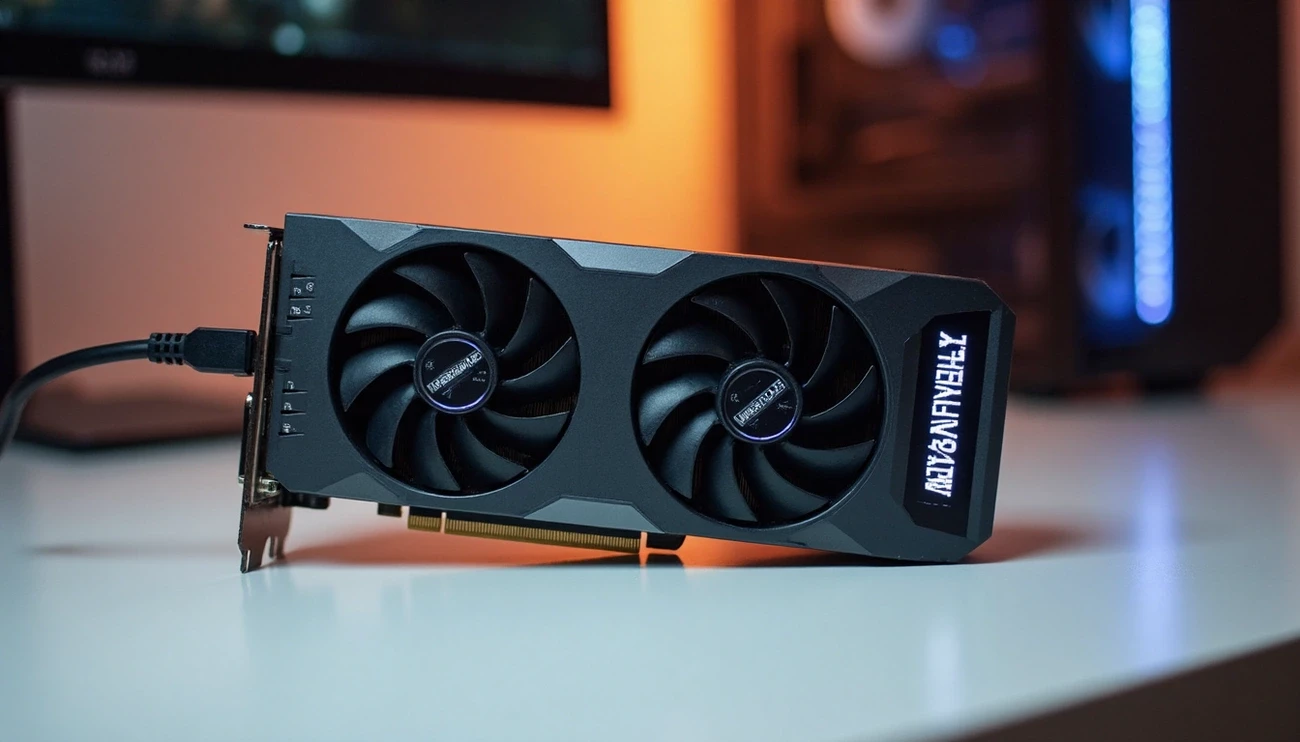
MagicMiner BG02 Review: A GPU-Style Bitcoin Miner That Actually Works (Tested 2025)
The MagicMiner BG02 has made cryptocurrency mining more available to everyone. This Bitcoin miner looks just like a graphics card but delivers serious mining power. My tests show this SHA-256 miner achieves an impressive 7 TH/s hashrate while drawing only 150W of power.
The miner's dual-fan design resembles a GPU setup. Under the hood, you'll find a full-fledged ASIC miner powered by six BM1368 chips. The price tag sits at $450, and you can get an extra 10% off with code RPM. This brings great value at about $55 per terahash. On top of that, it runs quietly at 40 dB, which makes it perfect for home mining. The device comes with a 16x PCIe slot, but it's worth mentioning that this slot only helps with mounting and doesn't transfer any data. This hands-on review will help you decide if this GPU-style Bitcoin miner deserves a spot in your cryptocurrency mining setup.
Unboxing the MagicMiner BG02: First Look at the GPU-Style Miner
My first look at the MagicMiner BG02 reminded me of a traditional graphics card. This Bitcoin miner looks different from typical bulky mining equipment and brings a fresh perspective to cryptocurrency mining hardware.
Design Overview: Dual Fans, Display, and Build
The MagicMiner BG02's dual fan design keeps heat under control effectively. The cooling system maintains ideal temperatures during long mining sessions. These fans run quietly at less than 40 dB. The miner's compact size measures 134×50×285mm and weighs just 0.96kg net (1.85kg packaged). This makes it much lighter than other mining equipment.
The BG02's standard 3+5 pin GPU power connector setup will feel familiar to anyone with graphics card experience. This design choice helps users switch from GPU mining to ASIC mining smoothly.
What's in the Box: Accessories and Packaging
The lightweight box weighs about 2 kilograms and contains:
-
The MagicMiner BG02 unit with protective cushioning
-
A detailed user manual
-
A unique ID card for the mining machine
The manual has product descriptions and blank journal pages. Users can write down their mining pool addresses, setup history, or personal notes. The package comes with protective cushioning to protect the miner during shipping.
Initial Impressions: Looks Like a GPU, But Isn't
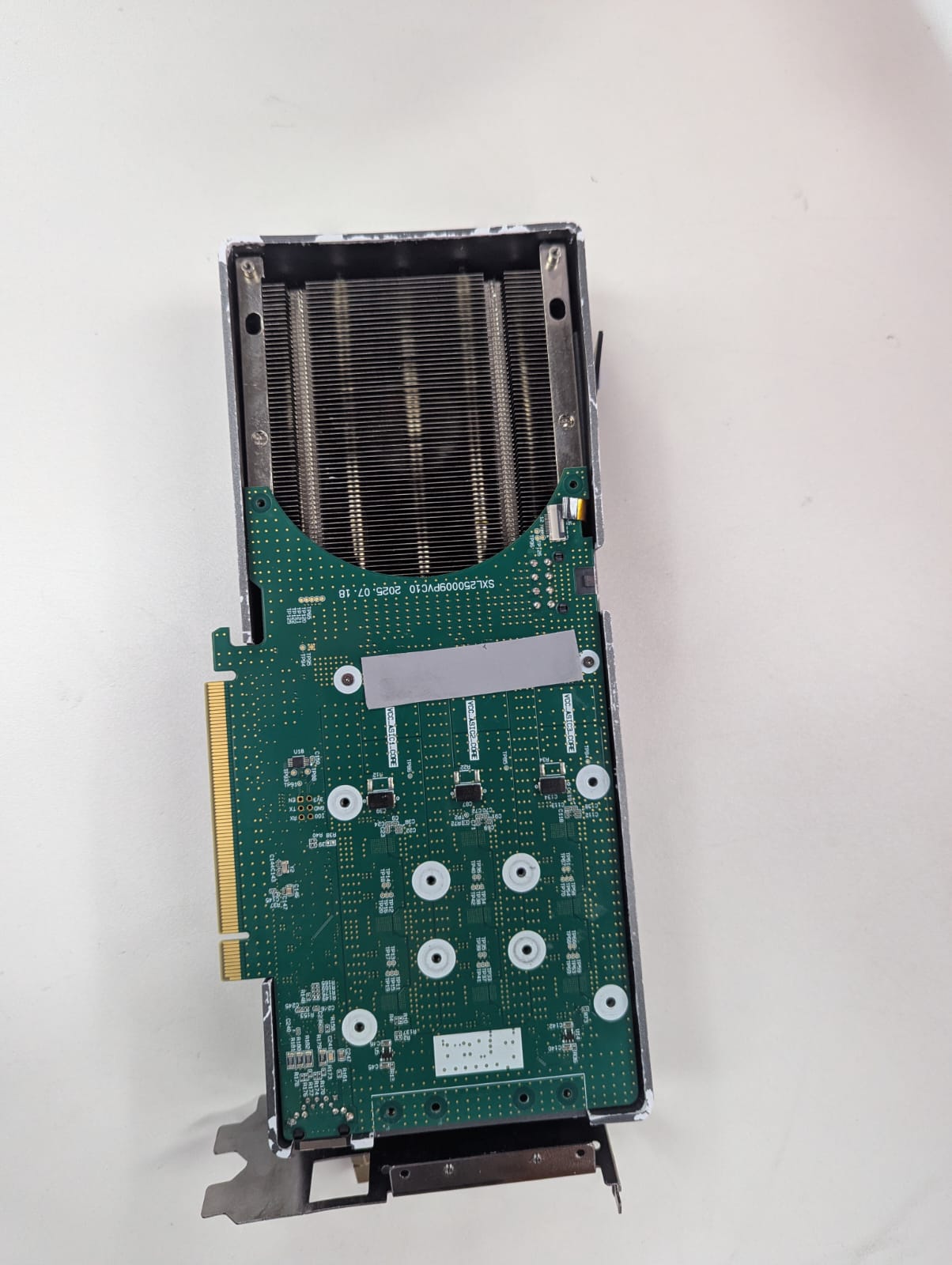
The MagicMiner BG02 looks like a GPU but works as a full-fledged ASIC miner. Six BM1368 chips power its impressive mining performance. Note that its 16x PCIe slot looks similar to graphics cards but serves only as a mounting point. This is a key difference from actual GPUs.
You can set up this miner in various ways - on desktop PCs, GPU racks, or server arrays. This flexibility works great for home enthusiasts starting their crypto mining adventure and professional miners who want to grow without needing special space.
Installation and Setup: How to Power and Connect the BG02
The MagicMiner BG02 setup process needs just three simple steps to start your cryptocurrency mining operation. This GPU-style device gives you more installation options than ASIC miners, making it available to newcomers.
Power Supply Options: 8-Pin PCIe Only
Your BG02 only works with standard PC or server power supplies through PCIe connections. You need an 8-pin PCIe power connector (labeled as 6+2 pin) from your power supply. The miner uses about 150W (±10%) of power, so your PSU must have enough capacity. Some miners use power splitter cables, but be careful with these accessories since poor quality splitters can be dangerous.
Mounting in PC Case or Octominer Rack
The BG02's GPU-like size (134×50×285mm) fits most desktop cases. You can mount it in desktop PCs, GPU racks, or server arrays. This flexibility lets you add it to your current mining setup or set up a discrete home installation. The device weighs just 0.96kg, which makes it easier to handle than bigger mining equipment.
Wi-Fi and Ethernet Setup for Network Access
You get two ways to connect - RJ45 Ethernet and built-in Wi-Fi. Start by plugging in the power cord and check if the fans start running. Next, connect to your local network through Ethernet or set up Wi-Fi using the web interface. The wireless setup is simple and doesn't need much tech knowledge.
Non-Functional PCIe Slot Explained
The BG02 has a PCIe slot that looks like those on graphics cards, but this slot doesn't transfer any data. It exists only for physical mounting. The 16x PCIe connection helps with daisy chain setups and doesn't communicate with your computer's motherboard.
How to Access the Web Interface
After connecting to your network, find the miner's IP address on its screen. Type this address in your web browser to open the management interface. Here you can set up your mining pool settings and wallet address. The interface shows you immediate updates on hashrate, temperature, and other vital performance metrics.
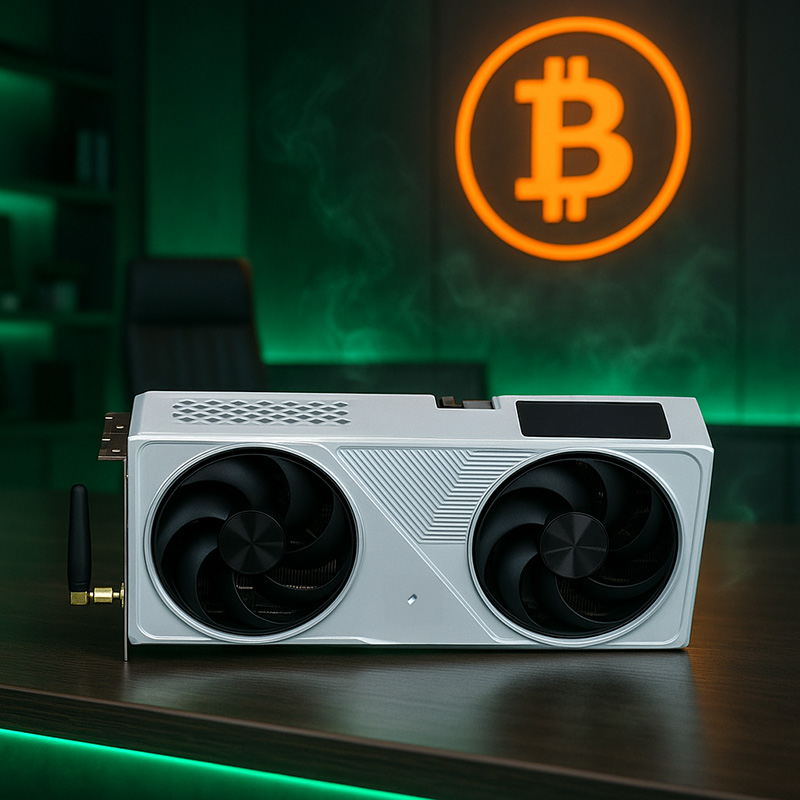
Real-World Performance: Tested Hashrate, Power Draw, and Noise
My rigorous testing of the MagicMiner BG02 shows its ground strengths and limitations that home cryptocurrency mining enthusiasts should know about.
Hashrate Results: 7.26 TH/s in Testing
The hashrate reached 7.26 TH/s, which beats the manufacturer's claimed 7.0 TH/s (±5%). This compact SHA-256 miner proves reliable, and its GPU-like form factor makes it even more impressive.
Power Consumption: 150W Claimed vs 167W Measured
The device pulls about 167W of power, while the manufacturer lists it at 150W (±10%). All the same, this power draw is quite efficient for a miner pushing over 7 TH/s.
Noise Level: 40 dB in Home Environment
The unit's quiet operation stands out. The BG02 runs at just 40 dB, making it as quiet as a library. This is a big deal as it means that industrial miners usually run at over 70 dB. You can easily set this miner up in your home office without any noise issues.
Thermal Performance and Airflow
The dual-fan cooling system keeps temperatures in check during long mining sessions. The unit stays cool at room temperatures of 23-24°C without needing any extra tweaks.
Efficiency Compared to Avalon Nano3S
The BG02's power ratio of 21.4 J/Th (±5%) keeps it competitive. The Avalon Nano3S delivers similar hashrates with slightly better power numbers. You should pick up a MagicMiner BG02 SHA-256 Bitcoin Miner if you want quiet home mining over peak efficiency.
User Experience and Use Cases: Who Should Buy the BG02?
My extensive testing shows who should buy the MagicMiner BG02. This compact mining device makes cryptocurrency mining accessible to people who couldn't use traditional industrial-grade equipment before.
Best for Home and Solo Miners
We designed the BG02 for solo Bitcoin mining enthusiasts (check out the Bitaxe Gamma 601 in our EU store), which brings mining to more people beyond industrial farms. The miner works with 42 cryptocurrencies that use the SHA-256 algorithm, including BTC, BCH, BSV, and DGB. The device supports different mining modes (SOLO, PPLNS, PPS, PROP), so users can customize based on their priorities.
Fits in Desktop or Rack Environments
The BG02's versatility shines through its placement options. Thanks to its GPU form factor, the device merges with desktop setups, GPU racks, or server arrays. PC enthusiasts can add mining capability to their gaming or workstation setups without needing extra mining space.
Quiet Enough for Office or Dorm Use
The BG02 runs quietly at less than 40dB - that's quieter than a library. You can use it in living rooms, bedrooms, offices, or dorms where noise rules might stop other mining activities.
Screen Display Features: Hashrate, Temp, BTC Price
A built-in display screen shows everything in mining metrics quickly, including live hashrate, temperature readings, and current Bitcoin price. Users don't need to check their software constantly.
Limitations: No PCIe Data, No Refund Policy
Note that despite looking like a PCIe slot, it's only for mounting—not data transfer. On top of that, all sales are final with no refund policy. Get your MagicMiner BG02 SHA-256 Bitcoin Miner and start mining from home with manufacturer warranty coverage for factory defects.
Conclusion
My time with the MagicMiner BG02 proves this Bitcoin miner lives up to its claims. The smart GPU-like design with six BM1368 chips makes home mining more available without compromising performance. The price tag of $450 translates to about $55 per terahash, which beats most competitors in the market.
The BG02's most impressive feature is its quiet operation. The noise level stays at 40dB, so you can run it smoothly in your home office or living room. This is a big deal as it means that unlike industrial miners that roar like jet engines, this one stays whisper-quiet. The device delivers 7.26 TH/s hashrate, which edges past the manufacturer's specs while using just 167W in my testing.
The PCIe slot might look confusing at first, but it's just for mounting and doesn't transfer any data. This design choice gives you more flexibility to fit the miner in desktop cases, mining racks, or server arrays. Bitcoin beginners will appreciate the simple setup process.
The MagicMiner BG02 hits the sweet spot between being easy to use, performing well, and fitting into a home setup. While it won't make you an overnight millionaire, it's a great way to get into Bitcoin mining without needing industrial equipment or special facilities. The MagicMiner BG02 SHA-256 Bitcoin Miner is your ticket to hassle-free home mining that works immediately after unboxing.
Key Takeaways
The MagicMiner BG02 proves that effective Bitcoin mining doesn't require industrial-grade equipment, offering a compelling solution for home miners seeking quiet, accessible cryptocurrency mining.
• Impressive performance in compact form: Delivers 7.26 TH/s hashrate while consuming only 167W, outperforming manufacturer claims in a GPU-sized package.
• Whisper-quiet operation: Runs at just 40dB (library-level noise), making it suitable for home offices, dorms, or living spaces unlike traditional miners.
• Excellent value proposition: Priced at $450 ($405 with discount code), offering roughly $55 per terahash - competitive efficiency for home mining setups.
• Easy setup with flexible mounting: Installs like a GPU using standard 8-pin PCIe power, fits in desktop cases or mining racks with simple web interface configuration.
• Important limitation to note: The PCIe slot is purely for mounting - no data transfer capability despite GPU-like appearance, and all sales are final.
The BG02 democratizes Bitcoin mining for enthusiasts who want to participate without dedicating entire rooms to noisy, industrial equipment while still achieving meaningful hashrates.
FAQs
Q1. What is the hashrate and power consumption of the MagicMiner BG02? The MagicMiner BG02 delivers a hashrate of 7.26 TH/s while consuming approximately 167W of power, slightly exceeding the manufacturer's claimed 7.0 TH/s and 150W specifications.
Q2. How noisy is the MagicMiner BG02 during operation? The MagicMiner BG02 operates at a remarkably quiet 40 dB, which is comparable to library-level noise. This makes it suitable for use in home offices, bedrooms, or other quiet environments.
Q3. Can the MagicMiner BG02 be installed in a regular PC case? Yes, the MagicMiner BG02 can be easily installed in most desktop PC cases due to its GPU-like dimensions and standard 8-pin PCIe power connector. It's also compatible with GPU racks and server arrays.
Q4. What cryptocurrencies can be mined with the MagicMiner BG02? The MagicMiner BG02 supports mining of 42 cryptocurrencies that use the SHA-256 algorithm, including Bitcoin (BTC), Bitcoin Cash (BCH), Bitcoin SV (BSV), and DigiByte (DGB).
Q5. Is the PCIe slot on the MagicMiner BG02 functional for data transfer? No, the PCIe slot on the MagicMiner BG02 is not functional for data transfer. It serves only as a physical mounting mechanism and for connecting in daisy chain configurations, not for communicating with a computer's motherboard.
Related Blog
Mineri Bitcoin cu consum redus pentru iarna 2026: BC01, Thor P2 și Bitaxe Gamma
Aug 31, 2026 by Guntis Vitolins
Mineshop mini bitcoin miner Asic miner
Mazjaudas Bitcoin raktuvji ziemas 2026. gadam: BC01, Thor P2 un Bitaxe Gamma
Aug 31, 2026 by Guntis Vitolins
Mineshop mini bitcoin miner Asic miner
Niskoenergetyczne koparki Bitcoina na zimę 2026: BC01, Thor P2 i Bitaxe Gamma
Aug 31, 2026 by Guntis Vitolins
Mineshop mini bitcoin miner Asic miner
Stromsparende Bitcoin-Miner für den Winter 2026: BC01, Thor P2 und Bitaxe Gamma
Aug 31, 2026 by Guntis Vitolins
Mineshop mini bitcoin miner Asic miner