

MicroBT Whatsminer Warranty Guide: How to RMA Your Miner
If your MicroBT Whatsminer is behaving unexpectedly — running hot, dropping hash rate, or refusing to boot — you may be entitled to a warranty repair or replacement through MicroBT's official RMA process. This guide walks you through every stage of that process, from gathering your paperwork to shipping your unit and tracking its return. Whether your miner is a week old or approaching the end of its warranty window, this Whatsminer warranty RMA guide will give you the confidence to act quickly and correctly.
\n\nAn RMA, or Return Merchandise Authorization, is the official process manufacturers use to handle warranty repairs or replacements. Rather than simply shipping a broken unit back, you first receive an authorisation number from MicroBT that lets them identify, track, and prioritise your case. Skipping this step is the single most common reason claims are delayed or rejected, so reading this guide in full before touching a shipping label is time well spent.
\n\nMineshop.eu has been supplying European miners with genuine ASIC hardware since 2016, with EU warehouse stock in Ireland and fast DHL/FedEx delivery across all EU countries. Our support team has assisted hundreds of customers through the MicroBT RMA workflow, and the steps below reflect real-world experience with the process as it operates for European buyers. According to MicroBT's official warranty documentation at microbt.com, standard Whatsminer units carry a 180-day warranty on hash boards and a 365-day warranty on the control board — exact terms we have reproduced in the comparison table below.
\n\nWhat You Need
\n- \n
- Proof of purchase — your Mineshop.eu order confirmation email or invoice PDF \n
- Miner serial number — printed on the sticker on the unit's rear panel (format: XXXXXXXXXX) \n
- Detailed fault description — date the fault appeared, what error codes or LED patterns you observed \n
- Miner's current firmware version — visible in the web dashboard under System > Overview \n
- Your pool account credentials — to verify the miner was active on a recognised pool such as Braiins Pool, OCEAN, or CKPool \n
- A desktop or laptop browser — Chrome or Firefox recommended; MicroBT's portal does not work reliably on mobile \n
- Original or equivalent packaging — anti-static bag, foam inserts, double-walled box for safe return shipping \n
- A DHL or FedEx account or access to a shipping point — MicroBT's EU repair centre accepts both carriers \n
- A smartphone or camera — to photograph the unit, serial number sticker, and any visible damage before packing \n
Step-by-Step Guide
\n\nStep 1: Confirm the Fault Is Repeatable
\nBefore opening any RMA ticket, power-cycle the miner and monitor it for at least 30 minutes in the Whatsminer web dashboard (navigate to your miner's local IP address in a browser). Check the hash rate graph, temperature readings, and the error log under Miner > Kernel Log. A fault that disappears after a reboot may be environmental — caused by dust, inadequate airflow, or a loose power connector — rather than a hardware defect. You should see stable hash rate figures close to the miner's rated output; if one or more hash boards shows zero or severely reduced output consistently across multiple restarts, the fault is genuine and you should proceed.
\n\nStep 2: Record All Evidence
\nTake clear photographs of the unit's exterior, the serial number sticker, and any visible physical damage such as burnt components, cracked casing, or corroded contacts. Then take a screenshot of the Kernel Log and the Overview page showing hash rate and temperatures. Save these files in a single folder labelled with your order number — you will upload them during the RMA submission and may need to email them separately to Mineshop.eu support. Good documentation is the fastest way to move your claim forward; claims submitted without evidence frequently require back-and-forth that adds days to the process.
\n\nStep 3: Check Your Warranty Status
\nCross-reference your purchase date (from your Mineshop.eu invoice) with the warranty periods in the table below. MicroBT's warranty clock starts from the date of manufacture listed on the unit's serial number sticker, not necessarily your purchase date, so check both. If you are unsure, contact our support team at mineshop.eu/en/contact-us — we can verify your warranty status directly using your order number. Units purchased from our Whatsminer category are always genuine MicroBT products and carry full manufacturer warranty.
\n\nStep 4: Contact MicroBT's Official RMA Portal
\nVisit microbt.com and navigate to the Support > After-Sales Service section. Click Submit a Ticket and select your product series (M20, M30, M50, M60, etc.). Fill in your serial number, purchase date, region (select Europe), and a clear description of the fault — copy this directly from the notes you made in Step 2. You will be asked to upload your evidence photos and proof of purchase at this stage. When completed, you should receive an automated acknowledgement email within a few minutes confirming your ticket number; keep this reference safe.
\n\nStep 5: Wait for the RMA Number and Shipping Instructions
\nMicroBT's after-sales team typically responds within 1–3 business days for European claims. Their reply will include your official RMA authorisation number, the shipping address for the EU repair centre, and specific packing instructions. Read these instructions carefully — MicroBT may ask you to remove the power supply unit before shipping, or to leave it attached, depending on the fault type. Do not ship anything until you have this number in writing; packages arriving without an RMA number are refused at the depot and returned at your cost.
\n\nStep 6: Pack the Miner Safely
\nWrap the miner in an anti-static bag first, then surround it with at least 5 cm of foam or bubble wrap on all sides inside a sturdy double-walled cardboard box. If you no longer have the original packaging, a heavy-duty moving box from a hardware store works well. Write your RMA number clearly on the outside of the box in permanent marker, and tape a printed copy of the RMA email to the top of the unit inside the box. Inadequate packaging that results in transit damage can void the warranty claim, so do not rush this step.
\n\nStep 7: Ship the Unit and Share Tracking
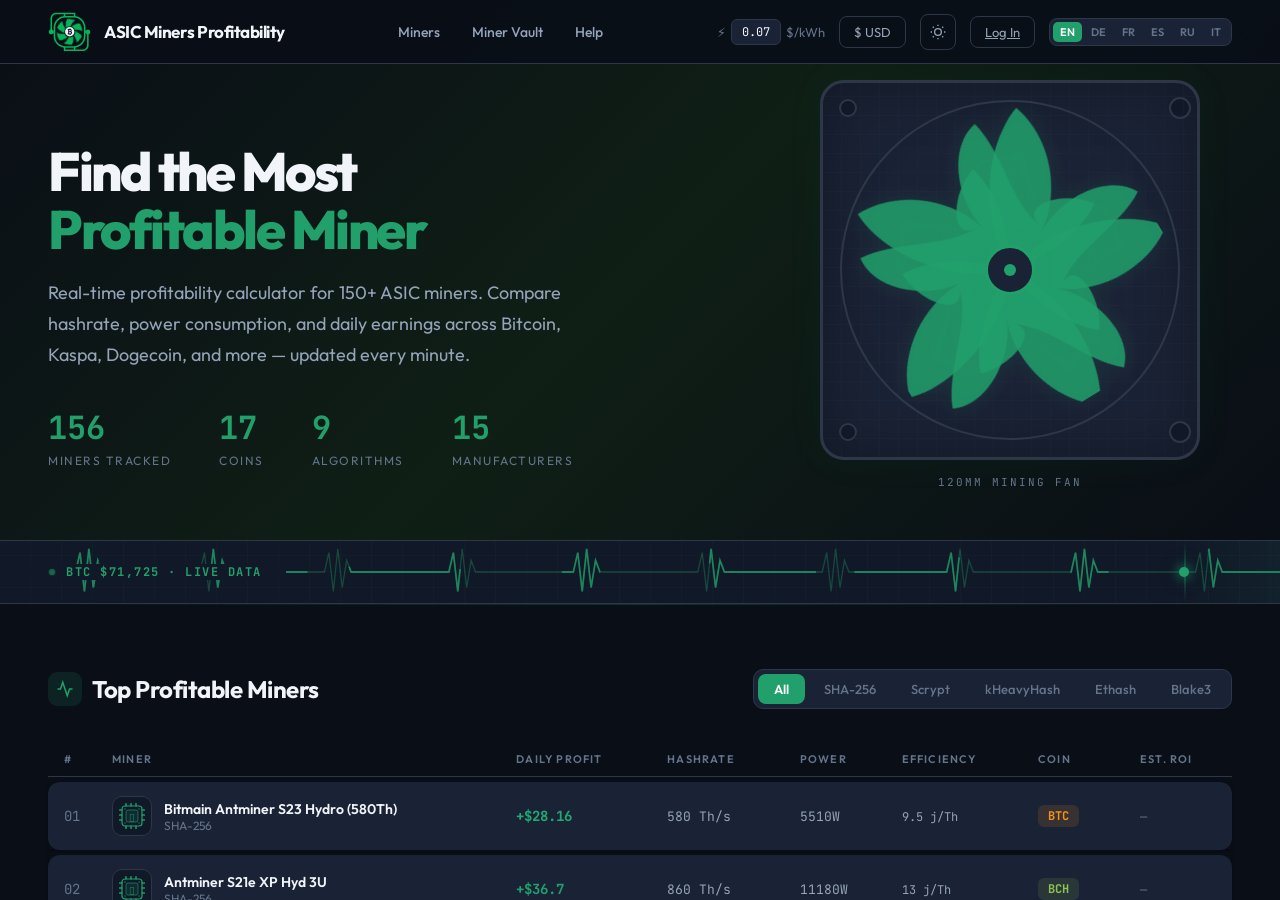
\nDrop the parcel with your chosen carrier — DHL or FedEx are preferred for EU-to-EU shipments and offer reliable tracking to MicroBT's repair facilities. Insure the shipment for the full replacement value of the miner; according to profitability data at asicminersprofitability.com, current Whatsminer M-series units retain significant resale value, making insurance worthwhile. Email the tracking number to MicroBT's support ticket thread and, if your unit was purchased from Mineshop.eu, send it to us as well so we can monitor progress on your behalf.
\n\nStep 8: Track Repair Progress
\nLog back into the MicroBT support portal and check your ticket for status updates. You should see the status change from Received to Under Diagnosis to Repair in Progress over the course of the repair window (see the table below for typical timelines). If the status has not changed within 5 business days of confirmed delivery, reply to your ticket asking for an update — this is normal practice and causes no issues with your claim. MicroBT will notify you by email when the unit is repaired and dispatched back to you.
\n\nStep 9: Inspect the Returned Unit Immediately
\nWhen the miner arrives back, photograph the outer box before opening it. Unbox carefully, check for any new transit damage, and power the unit on within 24 hours. Log into the web dashboard and verify that the repaired hash board(s) are now reporting normal hash rate and temperatures. If any fault persists or new issues are present, reply to your original RMA ticket within 48 hours — do not open a new ticket, as this can disconnect your case history and slow things down significantly.
\n\nQuick Reference Table
\n| Component | \nWarranty Period (MicroBT Standard) | \nWhat Is Covered | \nTypical EU Repair Turnaround | \n
|---|---|---|---|
| Hash Boards (all M-series) | \n180 days from manufacture date | \nManufacturing defects, chip failures, solder faults | \n7–14 business days | \n
| Control Board | \n365 days from manufacture date | \nFirmware corruption from defective flash, board-level faults | \n5–10 business days | \n
| Fan Units | \n180 days from manufacture date | \nBearing failure, blade damage (non-physical impact) | \n3–7 business days | \n
| Power Supply Unit (PSU) | \n180 days from manufacture date | \nInternal component failure, voltage regulation faults | \n5–10 business days | \n
| Casing and Connectors | \nNot covered (cosmetic) | \nPhysical damage, corrosion from environment not covered | \nN/A | \n
Common Issues and Fixes
\n\nIssue 1: RMA Portal Rejects My Serial Number
\nThis usually means the serial number was entered with a space or incorrect character — copy it directly from your photograph rather than typing it manually. If the number is genuinely unrecognised, contact MicroBT support via the ticket system and attach your proof of purchase; they can manually validate units purchased through authorised distributors like Mineshop.eu.
\n\nIssue 2: Ticket Status Stuck on "Received" for Over a Week
\nCheck that your tracking number confirms delivery to the repair centre — if the parcel is still in transit, the status will not advance. If delivery is confirmed and the status has not moved in 7 business days, reply directly to your ticket with the delivery confirmation screenshot; this escalates priority automatically in MicroBT's system.
\n\nIssue 3: MicroBT Says the Fault Is Not Covered (Physical Damage)
\nMicroBT's technicians photograph every unit on arrival; if they identify physical damage inconsistent with normal operation, they will send a fault report with images before proceeding. Review their report carefully — if you believe the damage occurred in transit, your carrier insurance claim takes precedence; this is exactly why insuring the outbound shipment (Step 7) is essential.
\n\nIssue 4: Returned Miner Still Shows the Same Fault
\nReply to your original RMA ticket within 48 hours of receiving the unit, include a new Kernel Log screenshot and your hash rate readings, and explicitly request escalation to a senior technician. Do not open a new ticket. Most repeat-fault cases are resolved with a hash board replacement rather than a repair on the second pass.
\n\nIssue 5: Warranty Expired by a Few Days or Weeks
\nContact MicroBT support directly and explain the situation — borderline cases are often reviewed individually, especially when the fault is clearly a manufacturing defect that took time to manifest. Mineshop.eu can also provide a letter of support as an authorised EU distributor, which carries weight in these reviews; reach out to us at mineshop.eu/en/contact-us before submitting.
\n\nIssue 6: I Bought the Miner Second-Hand — Can I Still RMA?
\nMicroBT's warranty is tied to the serial number and manufacture date, not the original buyer. If the unit is still within its warranty window by manufacture date, you can submit an RMA — you will need to provide proof of the manufacture date (visible on the serial sticker) rather than a purchase receipt. Success rates are lower for secondhand units without original documentation, so setting expectations accordingly is important.
\n\nFrequently Asked Questions
\n\nHow long does a Whatsminer RMA take from start to finish?
\nFrom the day you submit your ticket to the day the repaired unit arrives back, expect 3–5 weeks for a standard EU claim. This includes 1–3 days for ticket approval, 2–3 days for outbound shipping, 7–14 days at the repair centre, and 2–4 days for return shipping. Cases involving hash board replacement rather than repair can be faster.
\n\nDo I have to pay for shipping to the repair centre?
\nFor warranty claims confirmed as manufacturing defects, MicroBT typically covers return shipping to you, but outbound shipping from your location to the repair centre is usually at your expense. Always confirm this in your RMA approval email before booking a carrier, as terms can vary by region and claim type.
\n\nCan I RMA through Mineshop.eu instead of going directly to MicroBT?
\nYes — for units purchased from Mineshop.eu, you can initiate the process through our support team at mineshop.eu/en/contact-us and we will coordinate with MicroBT on your behalf. This is often faster for EU customers because we have an established distributor relationship with MicroBT and can expedite ticket escalation.
\n\nWill my mining data or pool settings be wiped during repair?
\nYes — assume all configuration will be reset to factory defaults. Before shipping, note down your pool URL, worker name, and password from the miner's dashboard. When the unit returns, you will need to re-enter these settings; it takes less than five minutes but is easy to forget if you are not prepared.
\n\nWhat voids a Whatsminer warranty?
\nAccording to MicroBT's official warranty terms, the following will void your claim: unauthorised disassembly or repair, physical damage from drops or liquid exposure, use outside specified voltage and temperature ranges, and removal or alteration of the serial number sticker. Overclocking beyond official firmware limits is also a common exclusion, so always verify your firmware source.
\n\nIs there anything else I should check before the RMA that might save me the trouble?
\nYes — first, try a full factory reset via the miner dashboard (System > Reset) and reflash the latest official firmware from microbt.com. A surprising number of reported faults, particularly those involving hash board dropouts or network connectivity issues, are resolved by a firmware reflash. Also check all power connector seating and Ethernet cable integrity before concluding the fault is hardware-level.
\n\n
If you are in the market for a replacement or an additional unit while your miner is being serviced, browse the full Whatsminer series at Mineshop.eu or explore our wider range of ASIC miners including the Bitmain Antminer range and IceRiver KAS miners. For quieter home setups, our home miner category has excellent options. Our team is always on hand to help you choose the right hardware for your situation — visit mineshop.eu/en/contact-us to reach us directly, or browse our full mining knowledge base for more guides like this one.
\n\n
Related Blog
Guía de Garantía MicroBT Whatsminer: Cómo hacer RMA de tu Minero
Apr 8, 2026 by Guntis Vitolins
Asic miner
Guide de Garantie MicroBT Whatsminer : Comment faire un RMA de votre mineur
Apr 8, 2026 by Guntis Vitolins
Asic miner
MicroBT Whatsminer Warranty Guide: Wie Sie Ihren Miner RMA einreichen
Apr 8, 2026 by Guntis Vitolins
Asic miner
MicroBT Whatsminer Garantiguide: Hur man gör RMA för din Miner
Apr 8, 2026 by Guntis Vitolins
Asic miner