



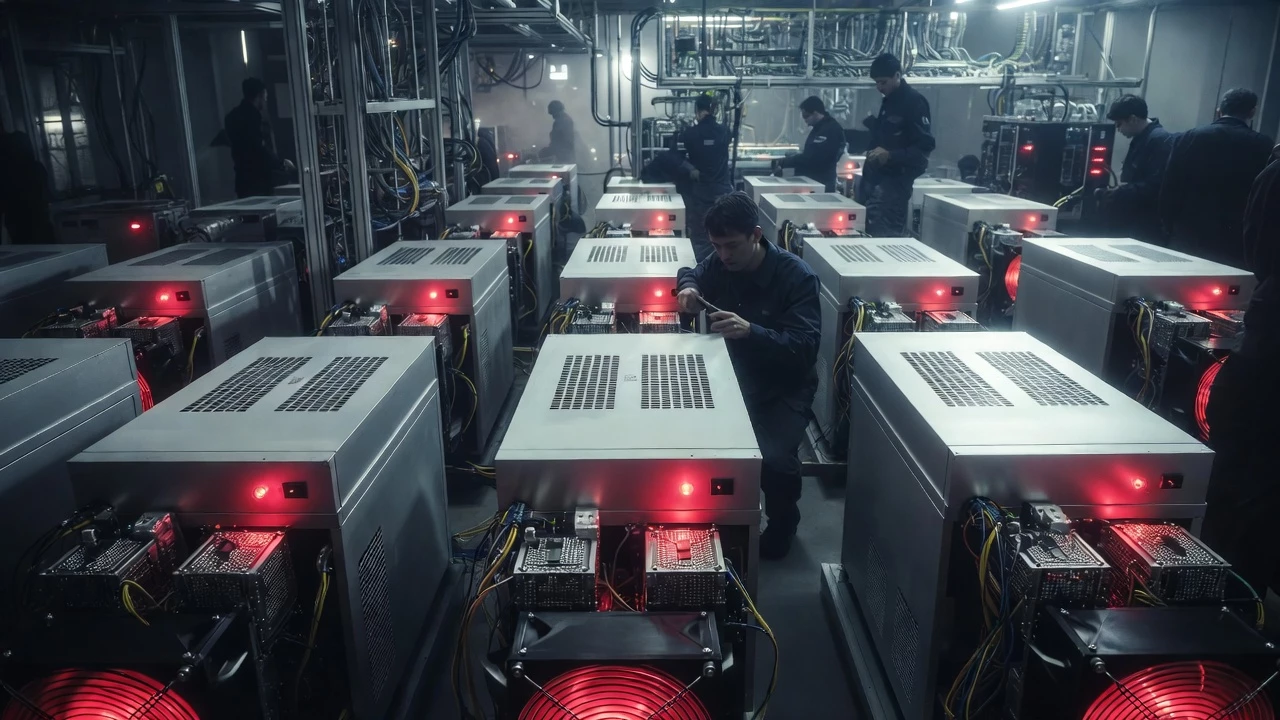
Si estás usando un Bitmain Antminer para minería de Bitcoin, encontrarte con fallos puede ser frustrante—pero muchos problemas tienen soluciones sencillas, y si está en garantía, el proceso es manejable. En esta guía completa, cubriremos cómo diagnosticar problemas, aplicar pasos básicos de solución de problemas sin anular tu garantía, verificar el estado de la garantía y navegar el proceso RMA (Return Merchandise Authorization) paso a paso. Ya sea que estés lidiando con una luz de fallo roja, un hashrate bajo u otros fallos comunes del Antminer, este tutorial te ayudará a volver a minar eficientemente. Términos clave como "reclamación de garantía Bitmain Antminer", "soluciones de fallos Antminer" y "procesar RMA Antminer" están integrados para mayor visibilidad en buscadores.
Paso 1: Diagnosticar el Problema y Recopilar Evidencias
Antes de lanzarte a reparaciones o reclamaciones de garantía, es crucial diagnosticar correctamente el fallo. Esto no solo te ayuda a identificar soluciones fáciles, sino que también proporciona la evidencia necesaria para el soporte de Bitmain.
Identifica el Problema
- Inspección Visual: Busca señales obvias como una luz de fallo roja en el minero, que a menudo indica problemas de hardware como sobrecalentamiento o problemas de alimentación. Toma fotos claras de los indicadores de fallo, incluyendo toda la configuración del minero.
- Accede al Panel de Control: Si puedes iniciar sesión en la interfaz web del Antminer (normalmente a través de su dirección IP), revisa el panel de control en busca de errores. Los indicadores comunes incluyen hashrate cero, errores de ventiladores o temperaturas anormales.
- Si No Puedes Acceder al Panel: Esto podría indicar problemas de red, fallo de la placa de control o problemas con la fuente de alimentación. Documenta todo con marcas de tiempo.
Exportar Registros como Evidencia
Si es posible acceder, copia los registros del kernel en lugar de usar la función de exportación para evitar posibles problemas. Aquí te explicamos cómo hacerlo, basándonos en las instrucciones oficiales de Bitmain:
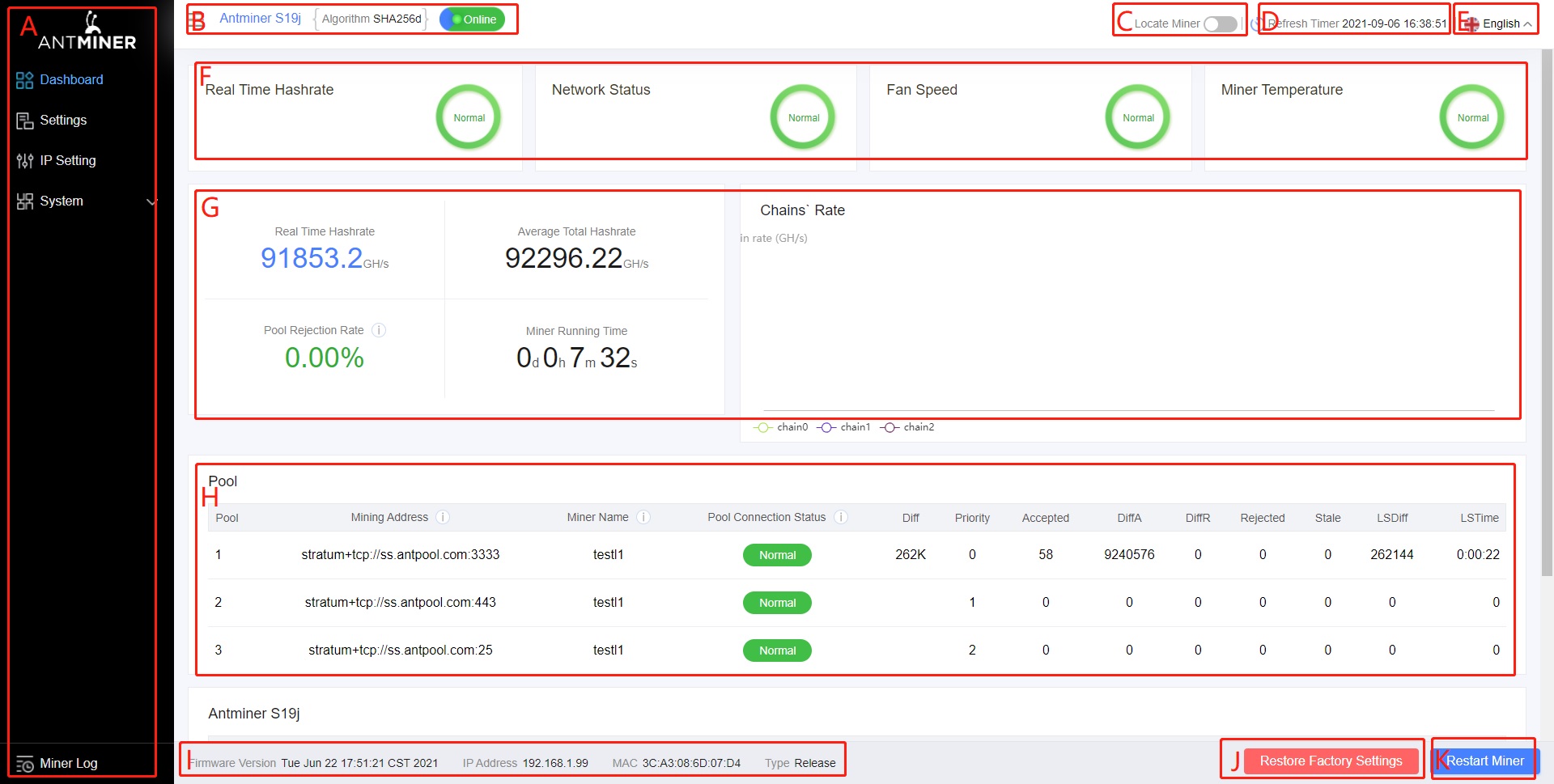
- Inicia sesión en el backend del minero y haz clic en "Miner Log" en la parte inferior izquierda.
- Elige los registros actuales para fallos activos o los registros históricos para problemas intermitentes.
- Selecciona todo el contenido (desplázate al inicio, mantén Shift mientras te desplazas hasta el final, o selecciona manualmente).
- Copia (CTRL+C) y pega en un nuevo documento de texto con el nombre de la IP del minero.
- Para registros históricos, descarga el archivo .zip mediante "Download Log" para fechas específicas.
Guarda las fotos y registros en una carpeta dedicada—serán clave para tu reclamación de garantía.
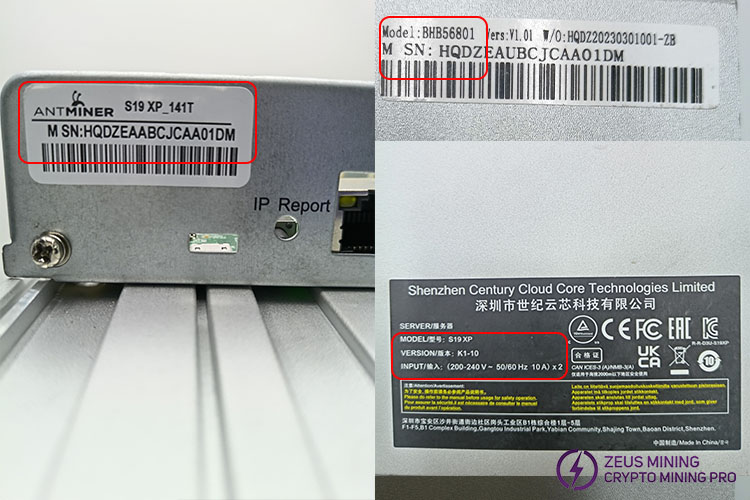
Localiza el Número de Serie (SN)
El SN generalmente se encuentra en una etiqueta en la parte frontal del minero, cerca del puerto LAN. Anótalo; lo necesitarás para verificaciones de garantía y tickets RMA.
Paso 2: Fallos Más Comunes del Antminer y Soluciones Fáciles
Los Bitmain Antminer son robustos, pero como cualquier hardware que funciona 24/7, enfrentan problemas recurrentes. Según informes de la comunidad y guías oficiales, los problemas más comunes incluyen fallos en la fuente de alimentación, sobrecalentamiento, errores de ventiladores, hashrates bajos, problemas de red, fallos en las placas hash, problemas en la placa de control y cables de datos defectuosos. Muchos pueden resolverse en casa sin abrir la unidad, preservando tu garantía. Aquí tienes una tabla ampliada de los fallos más frecuentes, sus causas y soluciones no invasivas:
| Tipo de Fallo | Posibles Causas | Soluciones Fáciles | Notas sobre Garantía |
|---|---|---|---|
| Hashrate Bajo o Cero | Sobrecalentamiento, firmware desactualizado, conexiones sueltas, placas hash defectuosas o chips faltantes. | Reinicia el minero (desconecta durante 5-10 minutos). Actualiza el firmware desde el panel de control. Asegura una fuente de alimentación estable y limpia el polvo de las rejillas y ventiladores. Verifica que los cables de red estén bien conectados. Si persiste, puede necesitar RMA. | Evita abrirlo; los registros mostrarán si las placas hash están afectadas. |
| Temperatura Anormal/Sobrecalentamiento | Acumulación de polvo, temperatura ambiente alta, problemas con los ventiladores o pasta térmica deficiente (aunque es raro al principio). | Mejora la ventilación, limpia los ventiladores externos con aire comprimido (no abras la carcasa). Reduce el overclocking si se ha aplicado. Reinicia y monitorea las temperaturas en el panel. Para grandes instalaciones, si estás cualificado y fuera de garantía, considera reemplazar la pasta térmica—pero no lo hagas si está en garantía. | ¿En garantía? Envía para RMA; el reemplazo de la pasta por cuenta propia la anula. |
| Error/Fallo de Ventilador | Ventilador defectuoso, velocidad baja, pérdida de conexión o desgaste por funcionamiento continuo 24/7. Los ventiladores son de los componentes más vulnerables. | Reinicia el minero. Verifica si hay obstrucciones y limpia los ventiladores externamente. Reemplaza los ventiladores defectuosos—son económicos (alrededor de $10-20 cada uno) y fáciles de cambiar sin abrir la carcasa principal. Normalmente esto no anula la garantía. | Los ventiladores que se rompen son habituales; reemplázalos tú mismo para evitar tiempo de inactividad, ya que no vale la pena enviarlo a reparar por esto. |
| Problemas de Fuente de Alimentación (PSU)/PSU Muerta | Sin salida, apagados intermitentes, comportamiento errático o fallo completo. | Verifica las conexiones de la PSU y la estabilidad del voltaje. Sustituye por una PSU en buen estado si tienes una disponible. Inspecciona los cables en busca de daños. Para grandes instalaciones mineras, mantén PSUs de repuesto en stock—reemplazar una es rápido, rentable y reduce el tiempo de inactividad comparado con los gastos de envío para garantía. | Si está en garantía, haz el RMA de toda la unidad; el reemplazo propio podría no anularla si se hace con cuidado, pero confírmalo con Bitmain. |
| Fallo de la Placa de Control | No encuentra IP, no enciende, o PIC anormal (p. ej., "fail to read pic temp"). | Restablece a la configuración de fábrica desde el panel (si es accesible). Flashea el firmware usando una tarjeta SD. Vuelve a conectar todos los cables. Si tienes piezas de repuesto, cambia la placa—sencillo para usuarios experimentados. | ¿En garantía? Envía siempre al servicio técnico; intentar repararlo tú mismo puede anular la cobertura. Mantén repuestos para instalaciones grandes. |
| Problemas de Conectividad de Red/No Encuentra IP | Minero desconectado, sin IP, o conflictos de IP. | Verifica el cable Ethernet, la configuración del router y el DHCP. Usa herramientas de escaneo de IP para localizar el minero. Reinicia el equipo de red. Cambia la IP para evitar conflictos; verifica la URL/puerto del pool. | Raramente requiere RMA; generalmente es una solución de software o red. |
| Fallo en la Placa Hash | Placas faltantes, chips incompletos, errores de EEPROM, o chips/hashboards no detectados. A menudo debido a cables de datos blancos defectuosos. | Vuelve a conectar los cables de datos (especialmente los blancos—desenchufa y vuelve a enchufar para probar). Actualiza el firmware. Si una placa está defectuosa, anótalo en los registros. No extraigas las hashboards ni las intercambies, ya que deben permanecer en el orden de fábrica (Bitmain registra esto). | En garantía, solicita RMA de inmediato; manipulaciones como mezclar placas cancelarán la garantía. Si está fuera de garantía, se necesita reparación profesional. |
| Errores de Hardware (HW) | Fallos de chips o problemas de comunicación en las placas hash. | Revisa los registros para obtener detalles. Reinicia el minero, actualiza el firmware o vuelve a colocar los cables. Los errores HW persistentes suelen indicar problemas más profundos en la placa. | Comunes en unidades antiguas; solicita RMA si está en garantía. |
| Errores de Firmware o Inicio | Software desactualizado, archivos corruptos o fallos de arranque. | Flashea el firmware más reciente desde el sitio de Bitmain. Recupera mediante tarjeta SD si es necesario. | Seguro para hacerlo tú mismo; no anula la garantía. |
Advertencias Importantes:
- No abras el minero si está en garantía, ya que esto anula la cobertura. Para unidades fuera de garantía, considera reparaciones de terceros—hay muchos servicios de pago disponibles en línea, como D-Central o tiendas locales de minería.
- Si gestionas una gran instalación, mantén repuestos como PSUs, ventiladores, placas de control y cables de datos para cambios rápidos—el tiempo de inactividad cuesta más que las piezas.
- Empieza siempre por lo básico: reinicia, verifica las conexiones, actualiza el firmware. Si las soluciones fallan, procede con la garantía.
Paso 3: Verificar el Estado de la Garantía
Bitmain ofrece normalmente 365 días de garantía para los nuevos Antminer desde la fecha de envío. Para verificarlo:
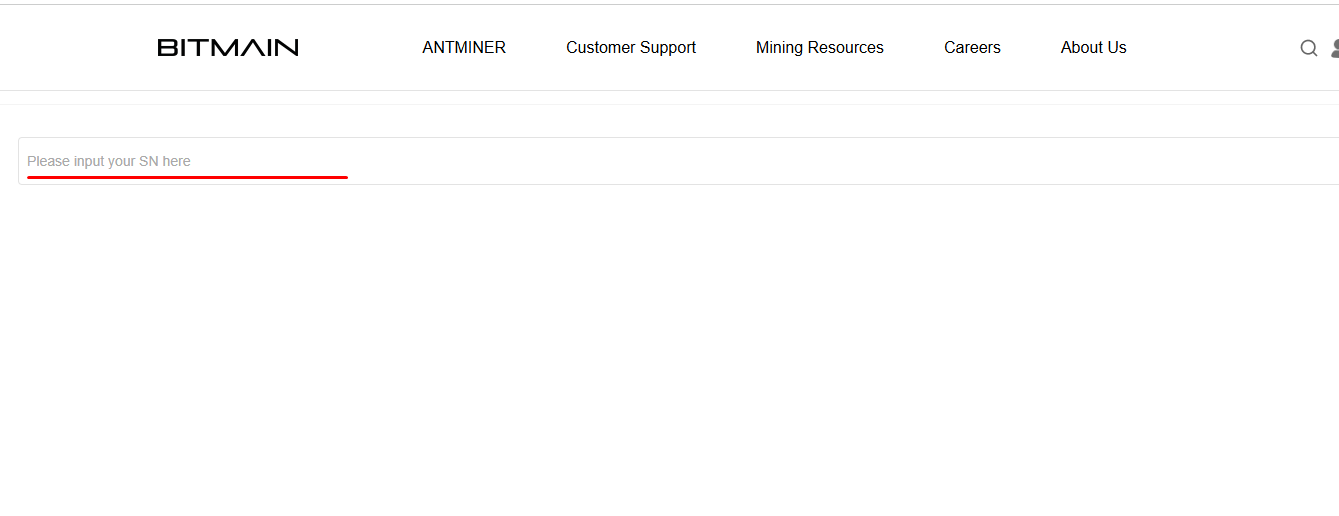
- Visita la página de verificación de garantía de Bitmain: https://m.bitmain.com/support/warranty.
- Introduce el número SN de tu minero.
- Si aún está cubierto (y creaste un ticket de reparación antes de su vencimiento), tienes derecho a reparaciones gratuitas. ¿Fuera de garantía? Las reparaciones están disponibles con coste.
Consejo profesional: Crea los tickets antes de los 180-365 días para asegurar la cobertura.
Paso 4: Enviar un Ticket RMA para la Reclamación de Garantía
Si está en garantía y las soluciones fáciles no funcionan, abre un ticket RMA. Este es el proceso oficial de garantía del Bitmain Antminer.
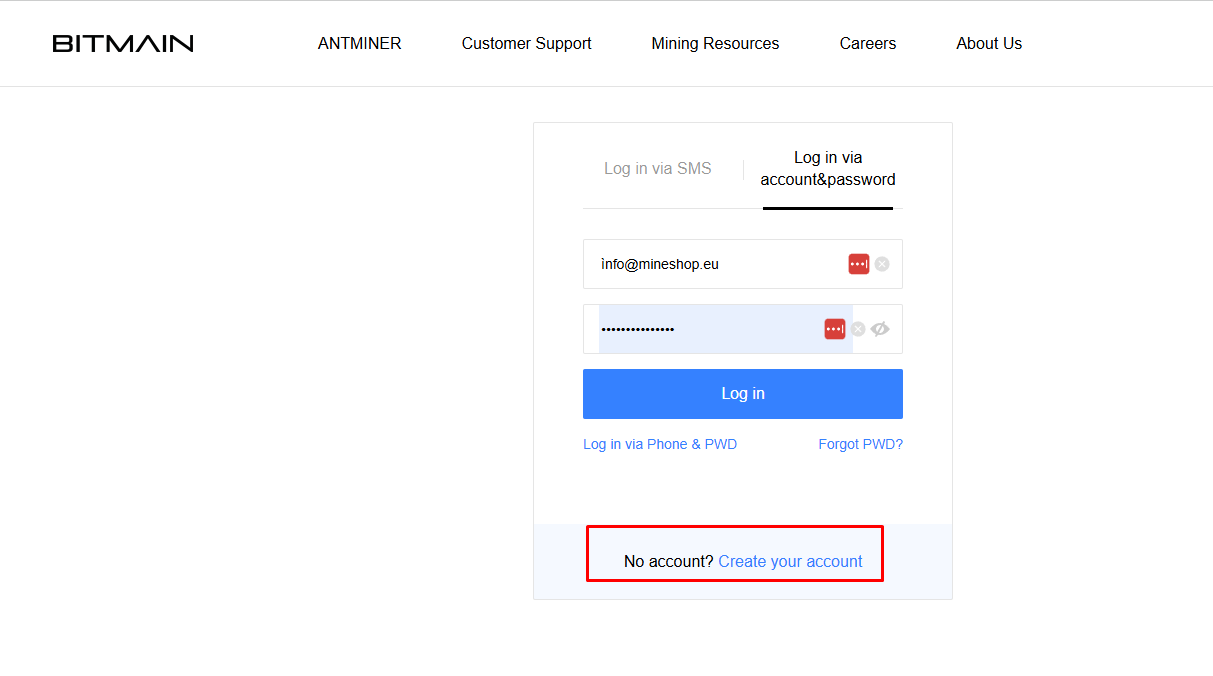
Crear una Cuenta en Bitmain (Si Es Necesario)
- Ve a https://account.bitmain.com/.
- Haz clic en "Sign Up" o "Create Account".
- Proporciona tu correo electrónico, contraseña y verifica mediante código. Esto lleva unos minutos y es necesario para crear tickets.
Crear el Ticket de Reparación
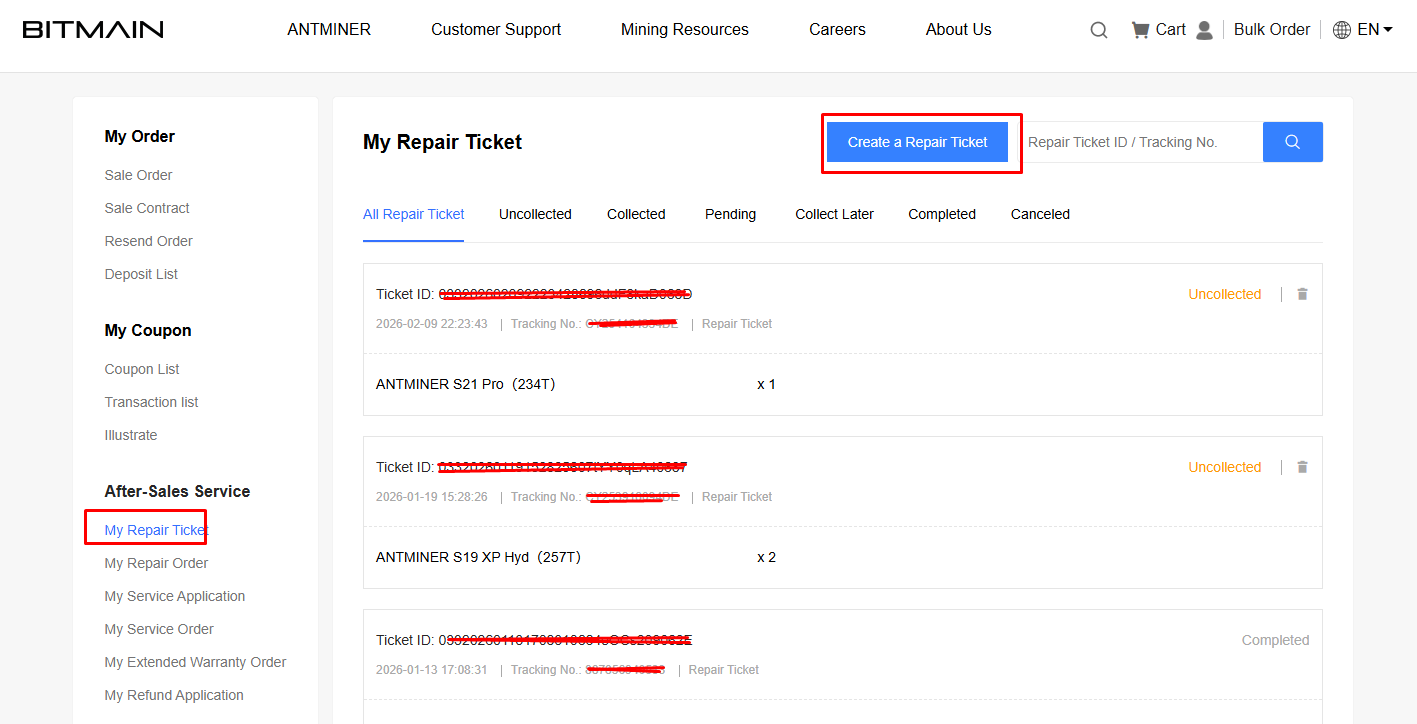
- Inicia sesión y navega a la pestaña "After-sales Service" > "My Repair Ticket".
- Haz clic en "Create a Repair Ticket" (o visita https://service.bitmain.com/zh/repair/create).
- Rellena los detalles:
- Tracking Number: Introduce un número provisional al principio; actualízalo en las primeras 72 horas tras crear el ticket.
- Información del Dispositivo: Selecciona el modelo, número de unidades, SN, adjunta archivos de registro (documentos de texto), fotos y una descripción detallada del problema (p. ej., "Luz roja encendida, hashrate cero, registros adjuntos").
- Tu Información: Proporciona la dirección de devolución.
- Centro de Reparación: Elige el más cercano—por ejemplo, Ámsterdam para Europa. Bitmain sugiere opciones según tu ubicación.
- Envía para recibir un ID de Ticket (tu número de caso RMA). Anótalo para futuras consultas.
Los tickets son válidos por 7 días; envía el paquete con prontitud para evitar que expire.
Paso 5: Envío, Seguimiento y Seguimiento Posterior
- Prepara el Envío: Usa el embalaje original si es posible para mayor seguridad. Incluye el ID del Ticket en las etiquetas o en el embalaje exterior para agilizar el procesamiento en el centro de reparación.
- Envía el Minero: Crea las etiquetas de envío al mismo tiempo que el ticket. Usa servicios con seguimiento como UPS o FedEx. Prepaga los gastos de aduana como remitente—eres responsable de ello.
- Plazos: Espera unas 2 semanas para el procesamiento. Haz seguimiento de tu paquete y monitorea el ticket en tu cuenta para recibir actualizaciones.
- En Caso de Retraso: Después de 2 semanas sin novedades, contacta amablemente con el soporte de Bitmain por correo electrónico o chat, indicando tu ID de Ticket. Sé cordial—una buena comunicación agiliza el proceso.
- Recepción: El minero reparado se enviará a la dirección que proporcionaste. Pruébalo inmediatamente al recibirlo.
Consejos Finales para el Éxito
- Asume siempre buenas intenciones con el soporte; la paciencia y la amabilidad son fundamentales.
- Para reparaciones fuera de garantía, los costes varían—consulta la guía de tarifas de Bitmain.
- Previene fallos con mantenimiento regular: alimentación estable, entorno fresco y actualizaciones de firmware.
- Si eres nuevo en la minería, considera los foros de la comunidad como Reddit para conocer experiencias de otros usuarios.
Siguiendo esta guía de garantía del Bitmain Antminer, minimizarás el tiempo de inactividad y maximizarás tus ganancias de minería. Si tienes preguntas, deja un comentario abajo—¡feliz minería en 2026!
Comments (0)