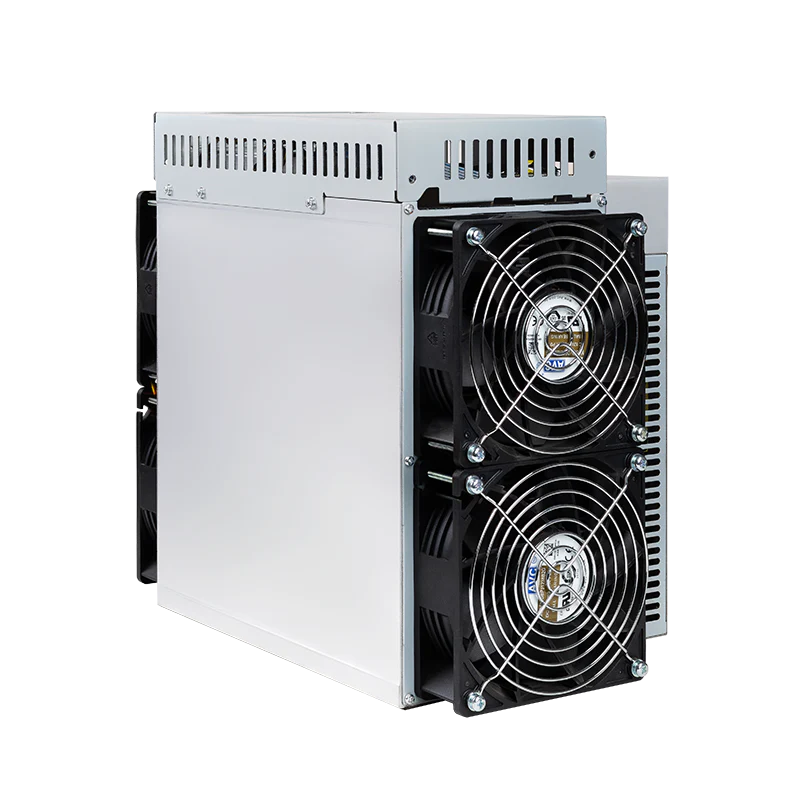
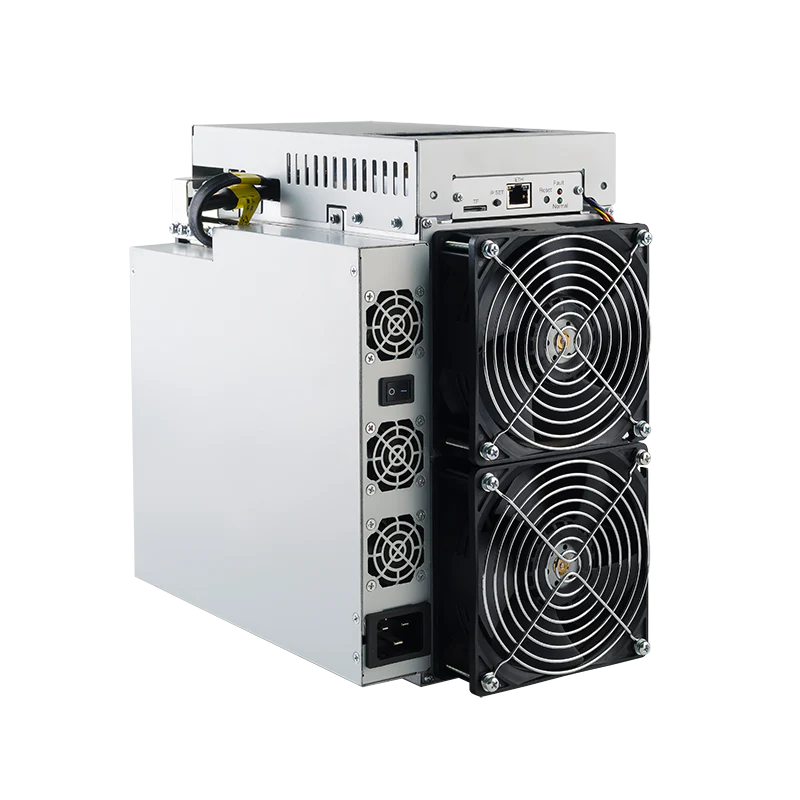
Choose IBeLink mining hardware by the network you intend to mine, then compare the exact model's power and installation requirements. This category contains the BM-K3 Kadena miner and BM-N3 Nervos CKB miner. Their product listings both specify 3300 W, four fans and a 190–240 V supply range, but they target different workloads. A shared brand or similar electrical specification does not make the two machines interchangeable.
IBeLink BM-K3 or BM-N3?
BM-K3: the Kadena listing
The IBeLink BM-K3 is identified for Kadena, with a stated rate of 70 TH/s in the product name. Its published description gives 70 TH/s ±5%, 3300 W, four fans, a 190–240 V supply range and Ethernet. Those are useful starting points for a Kadena-focused shortlist and for planning a wired connection and continuous electrical load.
Keep the complete model designation when comparing offers. The rate belongs to this particular listing and workload; it is not a general measure of performance across every coin. Check the current pool requirements, supported firmware and included power equipment for the exact unit before arranging installation.
BM-N3: the Nervos CKB listing
The IBeLink BM-N3 is identified for Nervos CKB. Its product name states 25 TH/s, and its description gives that rate with a ±5% tolerance. The published specifications also list 3300 W, four fans, 190–240 V and Ethernet. Select it because its intended workload matches your requirements, not because its power figure happens to match the BM-K3.
If you are researching another IBeLink model, keep its information separate. Neither listing establishes the specifications or availability of a BM-K1 Max or another family member. For a wider shortlist, browse the ASIC miner category and compare only devices that support the workload you actually intend to run.
Why 70 TH/s and 25 TH/s are not a direct ranking
Hashrate measures computational work per second for the relevant mining task. Comparing numbers from different workloads does not tell you which machine is more profitable or suitable. The BM-K3's Kadena rate and BM-N3's Nervos CKB rate must be evaluated against their respective networks. The hashrate guide explains why units and algorithms need context.
Within a compatible workload, compare a confirmed rate with power consumption to understand efficiency. Keep operating modes and specification tolerances consistent. Pool-reported performance can differ from a brief local reading, so allow an appropriate observation period when checking operation. A higher rate on paper does not establish a guaranteed reward, and a lower number on a different network is not evidence of inferior hardware.
Power consumption and electricity planning
Both listed models have a nominal 3300 W power specification. At a constant 3.3 kW for 24 hours, either would use 79.2 kWh. This is a planning calculation, not a measured daily result. Multiply the energy use by your actual tariff and add separate ventilation or other supporting equipment. Actual draw depends on the operating conditions and settings.
A continuous multi-kilowatt load requires a suitable installation. Have a qualified electrician assess the circuit, connection arrangement, protection and all other equipment sharing the supply. The published 190–240 V range is only part of that assessment. It does not establish that a particular socket, cable or circuit has adequate capacity. Confirm the manufacturer's input and cabling requirements before ordering accessories.
Include purchase cost, electrical work, cooling, pool fees and possible downtime in the budget. Then test less favourable network difficulty and coin-price assumptions. Mining rewards change while many installation costs remain fixed. The miner comparison tool can organise a shortlist, but it should support your own current inputs rather than replace them.
Cooling and location: make room for the whole system
Four fans describe the cooling equipment, not the sound level in your room. Review the exact device's noise and environmental requirements before choosing a location. Provide clear intake and exhaust paths, avoid recirculating hot air, and leave access for inspection and cleaning. A powerful miner should not be assumed suitable for a bedroom or shared office.
If your main requirement is a smaller installation, the home miner category offers another research starting point. It does not establish that every alternative supports Kadena or Nervos CKB. If you plan to use waste heat, explore the heat reuse calculator with realistic seasonal assumptions. Useful heat is installation-dependent, not a guaranteed discount on electricity.
Mining pool setup and monitoring
Choose a mining pool that supports the exact network and device configuration. Review its server addresses, worker naming, fees, minimum payout and wallet requirements. The mining pool selection guide provides a checklist. The mining glossary explains the terminology if you are comparing pool documentation for the first time.
Follow the model's instructions for the Ethernet connection and administrative interface. Use a trusted firmware source, change default administrative credentials and keep a copy of the working settings. Monitor the device status, temperatures and pool-reported operation. Record recurring faults and error messages before seeking support; unverified modifications can complicate diagnosis and warranty claims.
EU delivery, included equipment and warranty
Mineshop offers tracked EU delivery from Ireland and Latvia. Check the chosen product's current delivery information and exactly what is included before ordering. This guide does not confirm stock or promise a dispatch or arrival date. Review the applicable warranty, fault-reporting procedure and modification restrictions for the specific model. Keep the invoice, serial number and packaging; do not assume another miner's warranty duration or accessories apply.
IBeLink buyer FAQ
Which model targets Kadena?
The BM-K3 listing identifies Kadena. The BM-N3 listing identifies Nervos CKB, so they should be shortlisted for different workloads.
Can I compare their rates directly?
No. Their TH/s figures concern different mining workloads. Compare performance and costs within the relevant network.
How much electricity should I budget?
At a constant listed 3300 W for 24 hours, the arithmetic is 79.2 kWh. Use your tariff and allow for actual operating conditions and supporting equipment.
Do four fans mean the miner is quiet?
No. Fan count does not establish noise. Check the exact model's sound and environmental specifications for your location.