Choosing a Ravencoin miner starts with checking KAWPOW suitability, not borrowing a performance figure from another algorithm. Compare the exact hardware, cooling, electrical requirements and condition before deciding what will work in your space. This category includes GPU-based systems; use the product configuration and relevant test conditions to assess each one, without treating an old product name as a current delivery promise.
Ravencoin mining hardware
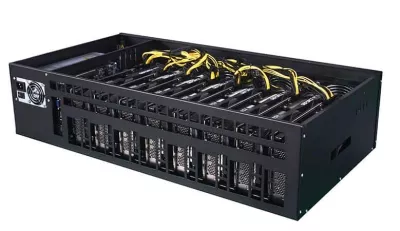
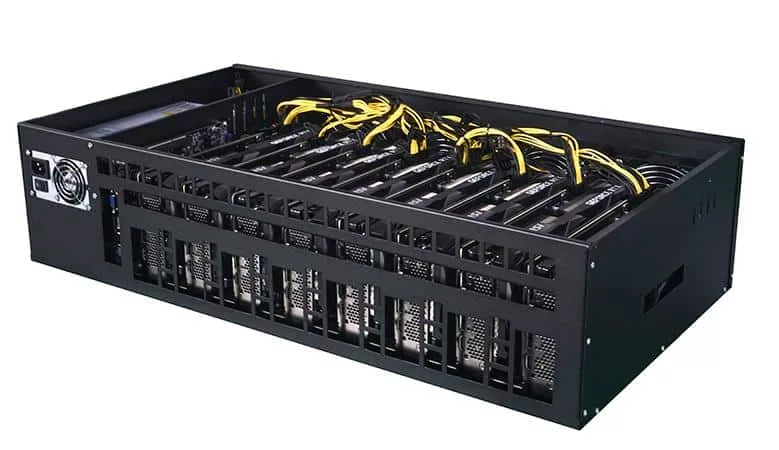
Ravencoin uses the KAWPOW algorithm, so it is normally mined with GPU rigs rather than Bitcoin ASIC miners. This category groups hardware that can be used for Ravencoin mining, including refurbished GPU rigs and multi-GPU mining systems when available.
When comparing Ravencoin miners, check hashrate, power draw, cooling, noise and the condition of the graphics cards. Mineshop.eu focuses on practical EU-stock mining equipment, tested power delivery and clear shipping options for home and small business miners.
If you are comparing Ravencoin with Bitcoin mining, also browse ASIC miners and home mining hardware.
Ravencoin miner selection: confirm the workload
A KAWPOW miner comparison needs results for the intended workload, not a generic rate attached to a machine name. Check the card configuration, driver and software together. Ask what was actually tested and whether the same setup will be supplied; a review of a different configuration is not a substitute for that confirmation.
A Bitcoin machine designed for a different algorithm cannot be assumed to support this workload. Check the actual supported algorithm rather than relying on a product-family label. If you are exploring GPU options, compare the wider GPU mining equipment category and complete GPU mining rigs, then return to the exact product details rather than judging from a broad category label.
Understand the two system formats
The NETPEER B8 system lists an ONDA AK2980 8-70-2U motherboard, Intel 3855U processor, DDR3 4G memory and RJ45 Ethernet 10/100M. These are supporting configuration details, not a verified throughput statement for this workload. Historical Ethereum-associated wording must not be reused as a KAWPOW result or evidence of current Ethereum ETH mining.
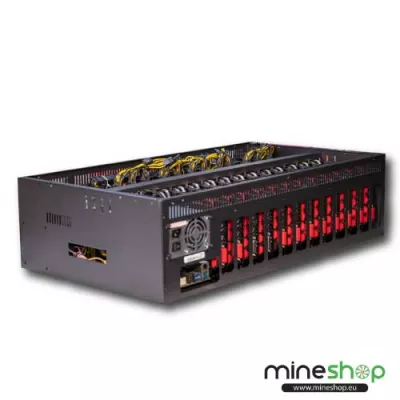
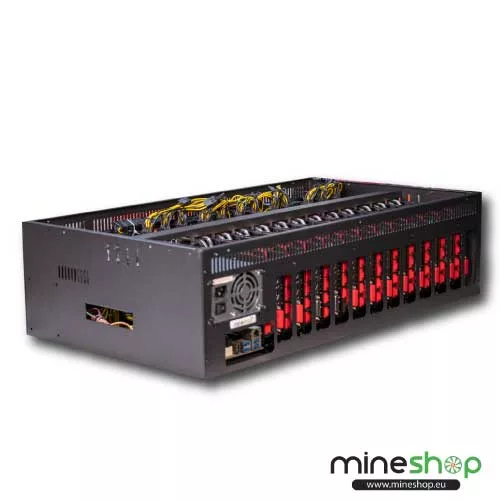
The refurbished-card system lists a Celeron G3930 processor, Onda B250 D12P-D3 motherboard and RJ45 Ethernet 10/100M connection. Ask for confirmation of the supplied cards, their condition and the operating setup. Ignore old shipping references in the URL when planning receipt: the order information, not a historical slug, determines the applicable delivery arrangements.
Used and refurbished condition
Check whether refurbishment includes card testing, fan inspection, cleaning and replacement of worn parts, rather than assuming a particular process. Ask what testing evidence is available and which accessories accompany the system. The condition of connectors, fans and cooling surfaces can matter as much as the model name for maintaining a stable installation.
Compare performance on a consistent basis
Ask how a quoted rate was obtained: software version, driver, operating settings, test duration and power measurement all matter. A short demonstration is not the same as stable operation over a longer run. Compare results at the same workload and settings, and consider accepted work and interruptions rather than a headline number alone.
The GPU benchmark testing guide can help organise the questions to ask. Historical results need present-day context before you use them. The hashrate explanation also helps distinguish units and algorithms. More hashes on an unrelated algorithm do not demonstrate a better choice for this one.
Power delivery, cooling and compatibility
Consider wall consumption for the entire machine when assessing electricity costs. Graphics cards, processor, fans and power conversion all contribute to the load. Confirm the supplied power arrangement, cable types and circuit requirements before installation. Do not reuse modular cables from another power supply unless compatibility is explicitly established, and seek qualified advice for the electrical installation where needed.
A multi-card system also needs a clear intake and exhaust path. Allow room around the enclosure, avoid recirculating warm air and plan for dust inspection and maintenance. Ask about noise under the intended workload, not simply at idle. A spare-room installation still needs enough ventilation to remove heat, and fans should remain accessible for service.
If you plan to replace cards, review graphics card options against the motherboard, BIOS support, risers, spacing and power connectors. Check the operating system and driver before changing hardware. A replacement that fits physically can still require a different software setup; record the working configuration and make recoverable changes rather than altering several things at once.
Assess costs without relying on a profit promise
Build your own operating budget using electricity, fees, maintenance and downtime, with conservative assumptions about changing revenue. Do not treat refurbishment, multiple GPUs or a high advertised rate as a guarantee of positive returns. A machine can be technically suitable yet not make economic sense at your tariff or in your chosen room.
Think about the time needed for updates, monitoring and fault diagnosis. Confirm how you will access the system and what network connection is required. Clear configuration records make it easier to distinguish a software issue from a hardware fault, particularly when a machine contains several cards.
EU delivery and product-specific warranty
Mineshop offers tracked delivery to all 27 EU countries from our warehouses in Ireland and Latvia. Check the listing and order information for fulfilment details, packaging and anything you need to assemble on receipt. This overview gives no current stock assertion, dispatch commitment or arrival date.
Confirm the warranty applicable to the exact system and refurbished components before ordering. Ask how a claim is handled and what evidence or troubleshooting is required. Keep invoice and serial-number records, and avoid unapproved repairs before discussing a fault. Hardware coverage should not be confused with a guarantee of mining returns or future software support.
Questions before you buy
Can I compare Ethereum and Ravencoin rate figures?
Not directly. They refer to different workloads, and historical Ethereum-associated figures do not establish current KAWPOW performance or current Ethereum ETH mining.
Can I reuse a Bitcoin ASIC for this workload?
Do not assume compatibility. Confirm the supported algorithm; this category describes GPU-based systems for the KAWPOW workload.
What should I ask about refurbished cards?
Ask about the exact configuration, testing, fan condition, accessories and product-specific warranty. Refurbishment does not imply a universal testing process or coverage period.
Are old shipping dates in a URL still valid?
No current delivery date should be inferred from a historical product slug. Check the applicable listing and order information instead.