



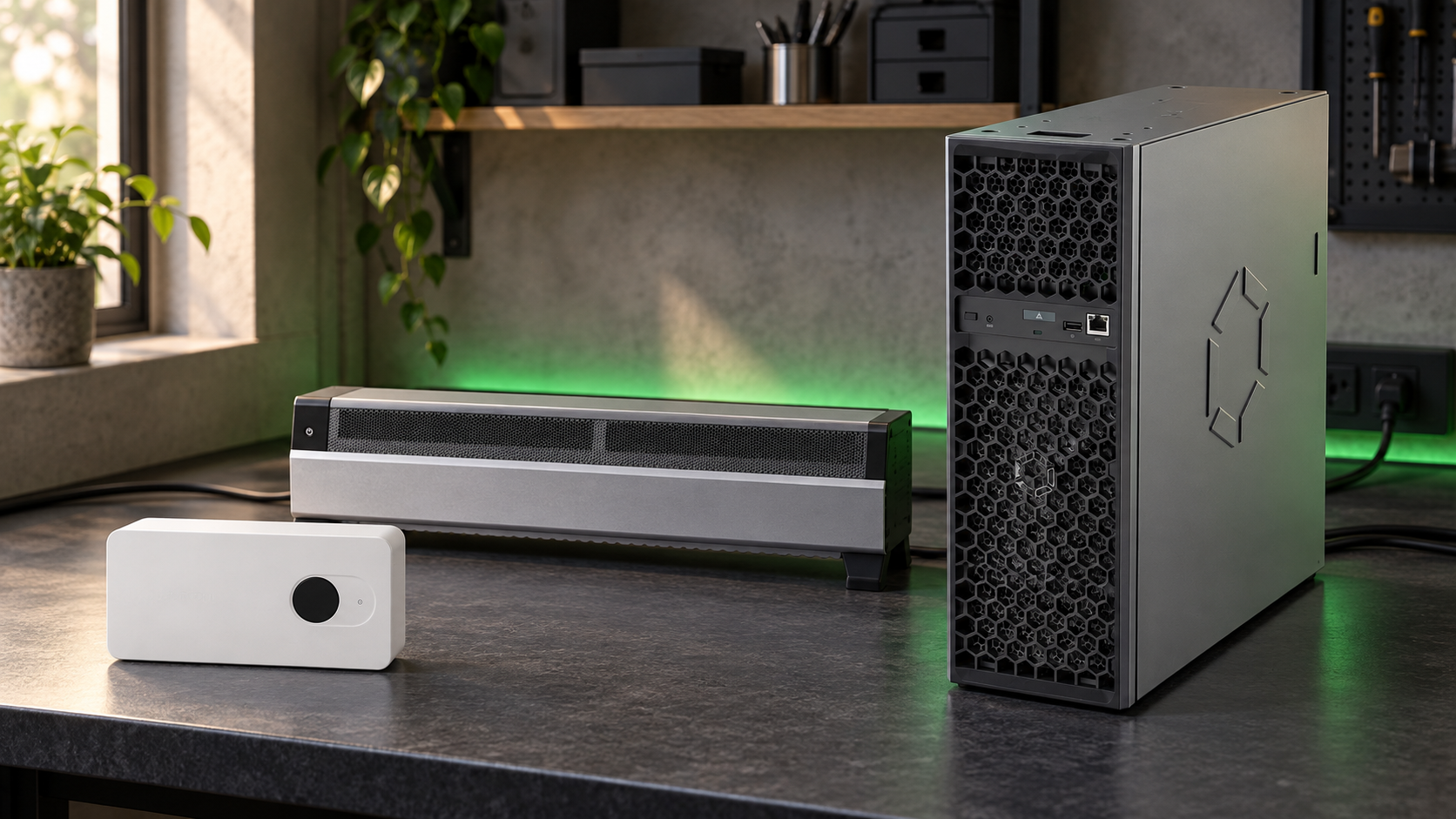
If you are choosing a home Bitcoin miner from Canaan's Avalon Home range, the right answer is not simply the largest hashrate. The practical choice depends on where the miner will sit, how much heat and noise the room can absorb, and whether your goal is learning, solo mining, or a more serious always-on setup.
This refresh compares the Avalon Nano 3S, Avalon Mini 3 and Avalon Q using Canaan's official specifications checked on 25 September 2026 and current Mineshop product pages checked the same day. It deliberately avoids revenue promises: Bitcoin difficulty, pool rules, BTC price and electricity tariffs move too often for a static article to predict profit honestly.
Quick recommendation
Choose the Avalon Nano 3S if you want the smallest, quietest entry point. It is the easiest of the three to place on a desk or shelf, and its 140 W maximum draw is low enough that the electricity check is simple. It is best for learning ASIC setup, experimenting with solo mining, or running a small always-on miner without turning the room into a dedicated mining space.
Choose the Avalon Mini 3 if you want a home heater-style miner with a real step up in hashrate. Canaan lists it at 37.5 TH/s and 800 W maximum power draw, so it belongs in a room where the extra heat is useful. It is still a home product, but it is no longer a tiny gadget.
Choose the Avalon Q if you want the highest hashrate in this group and you can give it a planned location. At 90 TH/s and 1674 W, it is closer to a compact serious miner than a desk accessory. It makes the most sense in a garage, utility room, workshop, or quiet office corner with good airflow and a socket arrangement that matches the load.
Home specs that matter
| Model | Official hashrate | Max power | Noise range | Best fit |
|---|---|---|---|---|
| Avalon Nano 3S | 6 TH/s | 140 W | 33-40 dB | Desk, shelf, learning setup |
| Avalon Mini 3 | 37.5 TH/s | 800 W | 33-55 dB | Room heater-style home mining |
| Avalon Q | 90 TH/s | 1674 W | 45-65 dB | Garage, workshop, utility room |
The table is the simplest way to avoid buying the wrong class of machine. Hashrate matters, but power draw and noise decide whether you will still like the miner after a week. A miner that looks efficient on paper can still be a bad fit if it sits too close to a desk, blows warm air at the wrong place, or needs a cable layout the room cannot support cleanly.
Avalon Nano 3S: small, quiet and easy to place
The Nano 3S is the most forgiving choice for a first home miner. Canaan's official page lists 6 TH/s hashrate, 140 W maximum power consumption, 20.5 x 11.5 x 5.85 cm dimensions and around 0.86 kg net weight. It also lists a 28 V input, so treat the supplied or matched adaptor as part of the setup rather than improvising power.
For most buyers, the Nano 3S is not about maximum BTC output. It is about owning a real SHA-256 ASIC, learning the dashboard, pointing it at a pool or solo pool, and understanding how hashrate, temperature and fan speed behave in daily use. It is also the model least likely to force changes to the room around it.
Avalon Mini 3: the middle ground with real heat
The Mini 3 is the jump from desk miner to home heater miner. Canaan lists 37.5 TH/s, 800 W maximum power draw, 33-55 dB noise and a long body measuring 76 x 10.4 x 21.45 cm. Those numbers make it much more productive than the Nano 3S, but they also mean the room becomes part of the mining system.
If you already want extra heat in a home office, workshop or spare room, the Mini 3 can make sense. If the room is small, poorly ventilated or already warm, it may become annoying quickly. Place it where the air path is clear and where fan noise will not be competing with calls, sleep, or quiet work.
Avalon Q: strongest hashrate, least casual placement
The Avalon Q is the performance choice in this comparison. Canaan lists 90 TH/s, 1674 W and 18.6 J/T. Mineshop's current Avalon Q page also presents it as a home-capable 90 TH/s unit with EU stock information, but the power level still deserves respect. This is not the model to buy first and then decide where to put it later.
At this size, airflow, dust, cable routing and noise matter more than the product photo. The Q belongs where warm exhaust can move away from the miner, where the socket and circuit are suitable for continuous load, and where 45-65 dB will not be a daily irritation. For the right space, it gives far more hashrate than the Mini 3 or Nano 3S without stepping into full industrial miner territory.
Do the electricity check before comparing price
A 24/7 ASIC turns watts into a monthly bill. Using the official maximum power figures, the Nano 3S can use about 101 kWh per 30 days, the Mini 3 about 576 kWh, and the Avalon Q about 1205 kWh. Multiply those numbers by your own EUR per kWh before comparing product prices. At 0.20 EUR/kWh, that rough monthly electricity cost would be about 20 EUR, 115 EUR and 241 EUR respectively, before any mining revenue is considered.
That arithmetic is more useful than a generic payback claim. It also separates two different questions: whether a model is technically interesting, and whether it fits your local power price. For current network conditions, use a live mining calculator and enter your own electricity rate, pool fee and uptime assumptions.
Setup, firmware and links to keep handy
Whichever model you choose, start with the exact product page and official Canaan documentation for that model. Canaan's official shop pages for the Nano 3S, Mini 3 and Avalon Q are the primary source for specifications. Mineshop's product pages are the right place to confirm local availability, included accessories, delivery timing and warranty terms before ordering.
After purchase, keep firmware separate from buying advice. If you are updating a unit, follow Mineshop's Avalon firmware update guide and Canaan's support downloads for the exact model. Do not mix firmware files between similar-looking Avalon Home devices.
Bottom line
For a first miner or a quiet learning setup, buy the Avalon Nano 3S. For a warm room and a meaningful hashrate step up, buy the Avalon Mini 3. For the strongest home Avalon option, choose the Avalon Q only when you have planned the socket, airflow, heat and noise. The best Avalon Home miner is the one your room can run comfortably every day, not the one with the biggest number on the spec sheet.
Comments (0)